When something goes wrong on the shop floor, knowing whether the problem lies with the CNC, the PMC, or the machine builder can save hours in troubleshooting. In Fanuc systems, the separation of responsibilities between the CNC (computer numerical control) and PMC (programmable machine control) isn’t just theoretical. It’s critical to understand where to look and what to test. Good CNC-PMC interface troubleshooting is essential.
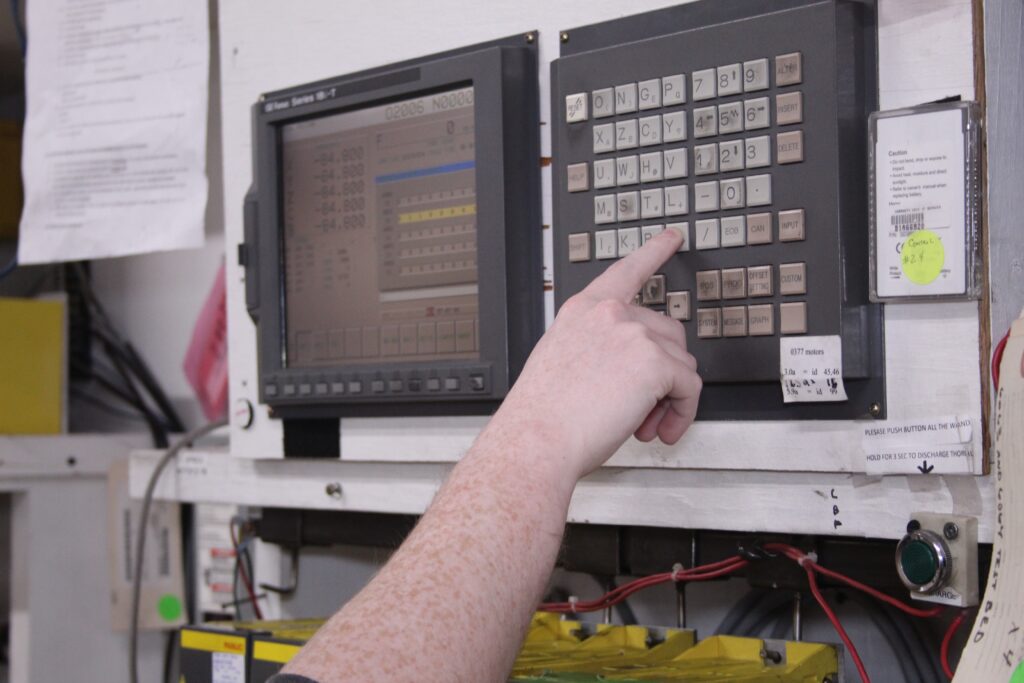
This article explains how Fanuc CNC and PMC components interact, how signal types like X, Y, G, and F play into system behavior, and how maintenance professionals can leverage this knowledge to reduce downtime and improve diagnostic accuracy. The addressing below covers the Fanuc 16, 18, 21, and most i Series controls.
In This Article
- CNC vs. PMC: Two Systems Working as One
- Fanuc CNC Roles and Responsibilities
- Fanuc PMC Roles and Responsibilities
- Fanuc Address Types: What They Mean and How To Use Them
- Commonly Used Internal Addresses
- Troubleshooting Tip: Was It Told To?
- Get Expert CNC Help from T.I.E. Industrial
- Frequently Asked Questions
- Related Articles
CNC vs. PMC: Two Systems Working as One
Although the CNC and PMC exist in the same control unit, they perform very different roles. For troubleshooting, it’s helpful to treat them as separate systems:
CNC Responsibilities: Controls motion, servos, drives, and interprets the part program line-by-line. It executes moves, monitors feedback, and clears the End of Block (EOB) signal only after confirming that each command was completed.
PMC Responsibilities: It executes ladder logic, reads and writes I/O to the real world, and facilitates machine-specific operations like tool changers, doors, and auxiliary functions.
While both systems “talk” to each other constantly, knowing where the job of one ends and the other begins is the key to faster, smarter problem-solving.
Fanuc CNC Roles and Responsibilities
When diagnosing issues on a Fanuc system, understanding what the CNC is actually responsible for can eliminate a lot of guesswork. The CNC’s very specific set of duties is tied directly to motion, execution, and system communication. Here’s a breakdown of its core functions and what they control.
Motion Control
The CNC is in charge of all servo and spindle motion. It reads part programs, drives motors, and checks feedback loops to confirm movement completion.
Program Execution
Each program line is processed, executed, and verified before moving to the next. For instance, if the CNC tells an axis to move, it wants to see through the feedback device that the move has been completed. If the CNC doesn’t receive confirmation from the PMC, it won’t proceed.
Communication with the PMC
The CNC sends out status updates and receives verification or requests from the PMC in return. This is where interface knowledge becomes vital.
Auxiliary Control
The CNC also handles system diagnostics, alarm messaging, the MDI keypad, and on-screen displays.
Fanuc PMC Roles and Responsibilities
Just like the CNC, the PMC handles a distinct set of responsibilities that play a critical role in machine behavior. While the CNC focuses on motion and execution, the PMC manages the logic, inputs, and outputs that connect the machine to the real world. Understanding what the PMC does and how it talks to the CNC can drastically speed up troubleshooting.
Ladder Execution
The PMC executes ladder logic provided by the machine tool builder, interpreting signals and triggering outputs as needed.
Machine Tool Builder Interface, aka Real-World I/O
The PMC connects directly to sensors, buttons, valves, and relays—what we call “real-world devices.” These are inputs and outputs you can physically measure.
Communication with the CNC
The PMC uses G signals to communicate machine status back to the CNC, allowing it to know what’s actually happening.
Machine Tool Builder Alarms
PMC-generated alarms often begin with 1000 or 2000 and relate to mechanical or safety conditions (e.g., door not closed, spindle unclamped, overload tripped).

Fanuc Address Types: What They Mean and How To Use Them
Understanding ladder logic requires knowing how to interpret signal addresses. Here’s a breakdown of the most commonly used ones:
X Addresses – Real-World Inputs
These are physical signals from switches, sensors, and other input devices wired into the system. The machine tool builder is responsible for wiring up all X-value inputs. They’re used only as contacts in the ladder. In Allen-Bradley controls, these are referred to as I signals.
Y Addresses – Real-World Outputs
These are outputs that control devices like LEDs, relays, solenoids, or motor starters. The machine tool builder is also responsible for connecting all Y-value outputs. Y addresses can be used as contacts and coils in the ladder. Allen-Bradley refers to these as O signals.
The following addresses are imaginary and cannot be measured with a meter. They can be viewed in the diagnostics pages or ladder only.
G Addresses – PMC to CNC
These are the signals the PMC sends to the CNC. They can be used as contacts or coils in a ladder.
For example, G0007.2 is a cycle start signal address. When the cycle start button is pushed, it generates an X address (which the CNC can’t read) that the logic ladder uses to turn on the coil that is the G0007.2 address, which the CNC can read. If that address is set high, the CNC, which is responsible for program execution, will start running the program. If the signal doesn’t go high, the CNC never gets the instruction to move.
F Addresses – CNC to PMC
These are signals sent from the CNC to the PMC, such as F0.6, which indicates that the servos are active and it’s safe to release a brake. If F0.6 goes low, the PMC shuts off the brake automatically.
Fanuc assigns all G and F addresses.
Commonly Used Internal Addresses
Fanuc ladder logic also includes several special-use address types:
- R addresses – Internal registers used for tracking events. You’ll see these everywhere in the ladder. They serve as temporary coils and contacts for decision-making purposes. Fanuc has assigned some R addresses, usually in the R9000 range, for specific functions.
- C addresses – These are used in the logic ladder as part of function statements, which are macros Fanuc created to simplify the programming. C addresses can be used for counters.
- T addresses – Timer signals. All timers in a Fanuc PMC are count-up timers.
- K addresses – Keep relays that retain their state after a power cycle. They serve several functions and can be used to enable/disable options or record machine status like chuck position. The machine tool builder will use the keep relays to enable the options a customer purchased.
- D addresses – Data registers that store decimal or binary values (e.g., tool pot numbers). Numerous data registers are available.
- A addresses – Alarm signals set by the PMC to trigger machine-level alarms and messages on the CNC display. The machine builder assigns messages to the A addresses.
Troubleshooting Tip: Was It Told To?
When a button press doesn’t lead to action—like jogging an axis—don’t start by replacing hardware. First, ask: “Was it told to move?”
If the X input works but no G signal is set, the CNC never received the command. Start with the ladder logic: look up the G address (e.g., G100.0) and see if it’s being activated. If not, the PMC may have never issued the command, even though the operator pressed the button.
Understanding how G and F addresses interact dramatically shortens troubleshooting time.
Get Expert CNC Help from T.I.E. Industrial
Fanuc control systems are reliable but not always intuitive. If you’re dealing with cryptic alarms or stuck processes, we can help. Backed by 35+ years of experience with Fanuc CNC, PMC, and ladder logic, we offer rapid diagnostics and personalized support from technicians who understand CNC-PMC interface troubleshooting.
Contact T.I.E. Industrial today for support with Fanuc systems, from controls and drives to motors and alarms.
Frequently Asked Questions
What’s the difference between Fanuc PMC and a standard PLC?
While PMCs and PLCs (programmable logic controllers) perform similar functions, a Fanuc PMC is built into the CNC control system and tightly integrated with Fanuc’s CNC environment. Standard PLCs, like those from Allen-Bradley or Siemens, are separate hardware modules. Fanuc PMCs use ladder logic specific to machine tool applications and communicate directly with CNC functions using G and F address bits—something not found in standalone PLCs. The integration allows faster I/O response and simplified system architecture for CNC machines.
Can you modify ladder logic on a Fanuc PMC?
Yes, but with caveats. Modifying the ladder logic in a Fanuc PMC requires the proper access level and software, typically Fanuc’s Ladder-III or Ladder Editing Tool. While minor edits like adjusting timers or toggling keep relays may be permissible for maintenance staff, major modifications should be left to the machine tool builder or a qualified integrator. Unauthorized changes can break machine interlocks or interfere with safety features.
How do you determine if a machine issue is from the PMC or CNC side?
The key is understanding the signal path. If a command (like “cycle start”) doesn’t result in motion, check whether the corresponding G address is being set in the ladder logic. If not, the issue likely lies on the PMC or I/O side, such as a bad switch or contactor or a ladder logic issue. If the G address is present but motion doesn’t occur, the problem may lie with the CNC’s servo system or program logic. Fanuc’s diagnostic pages and ladder trace functions are essential tools for isolating the source.
Related Articles
How Are Robots Used in Pharmaceutical Manufacturing?
Get an in-depth look at the role robots play in making pharmaceuticals.
How Robots Are Being Used in Aerospace Manufacturing
Explore the ways robots are transforming aerospace manufacturing.
Why CNC Training Is Essential for Modern Manufacturing Teams
Discover why modern manufacturing teams need CNC training.
Was this helpful?
1 / 1